
Landscaping Business App: Complete Guide for Modern Lawn & Landscape Companies
A landscaping business app is a mobile + web platform that handles scheduling, route planning, crew tracking, estimating, invoicing, and client communication in one place; it replaces the patchwork of spreadsheets, group texts, and paper routes that still cost landscaping companies hours every week.
Key Takeaways
- A landscaping business app is a mobile + web platform that handles scheduling, route planning, crew tracking, estimating, invoicing, and client communication in one place; it replaces the patchwork of spreadsheets, group texts, and paper routes that still cost landscaping companies hours every week.
- The right app saves time through route optimization, real time crew updates, and automated billing, and it increases profit margins for any lawn care business from a solo operator to a 10-truck fleet.
- Funnel Builders Expert does not sell or replace field-service software; we build the lead generation funnels, sales automation, and marketing systems that plug into tools like Service Autopilot, Jobber, or LMN.
- This guide covers concrete examples (route optimization benchmarks, AI-driven follow-ups, crew GPS tracking), specific app categories (scheduling, CRM, best landscape design apps), and a framework for choosing, implementing, and measuring ROI.
Introduction: What Is a Landscaping Business App in 2026?
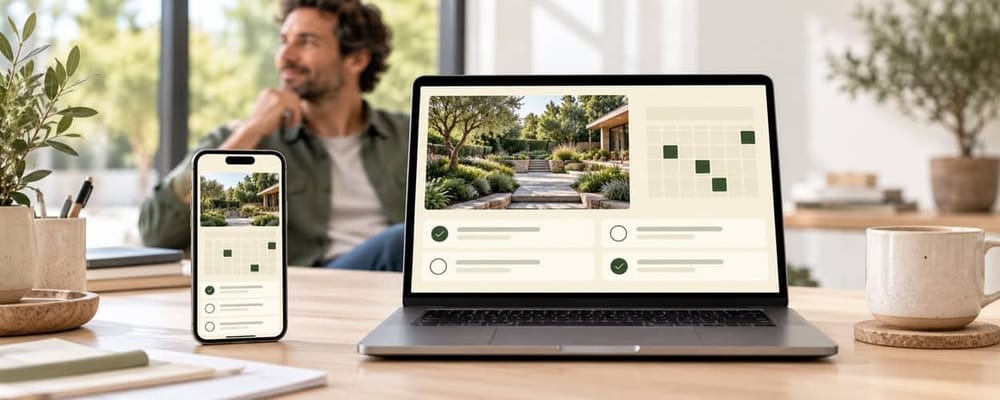
A landscaping business app is a mobile + web tool that lets lawn care and landscape companies manage scheduling, routes, crews, estimates, invoicing, and customer communication from a single platform. In 2026, most of these apps also include GPS tracking, real time push notifications, photo uploads from the job site, and integrations with accounting and marketing software.
These tools have evolved since 2020 from basic digital calendars into full operational hubs. The additions that matter most: AI-assisted estimating, batch routing across multiple crews, recurring billing that handles skipped visits (rain, holidays), and direct connections to QuickBooks, CRM platforms, and payment processors.
Three distinct categories exist within the term "landscaping business app":
- Operations apps (Service Autopilot, Jobber, LMN): job scheduling, routing, invoicing, crew tracking.
- Landscape design apps (PRO Landscape+, iScape, VizTerra): 2D/3D visual planning, AR yard previews, plant libraries, material takeoffs.
- CRM/all-in-one sales tools: lead management, quoting, customer portals; sometimes with limited field features.
Typical users range from a solo lawn care operator running 30 weekly accounts to a 5-crew design-build firm handling installations, irrigation, and seasonal maintenance contracts.
Core capabilities to expect from any modern landscaping business app:
- Scheduling with calendar views (one-off and recurring jobs)
- Route optimization by geography
- GPS and time tracking per property
- CRM with client history and property notes
- Estimates, proposals, and digital signatures
- Invoicing and online payment collectionPhoto and document storage per job

Why Your Lawn Care Business Needs an App (Not Just Spreadsheets)
Picture a 3-crew lawn care company in late 2025 still running paper route sheets, coordinating via WhatsApp, and typing invoices in Excel at 9 PM. Skipped weeks (due to rain) go unrecorded. Crews show up at the wrong address because someone forgot to update the group chat. Invoices go out 10-15 days after the service date, and customers pay another 15 after that. Cash sits in limbo for a month.
Managing a landscaping business requires efficient customer communication, and without a centralized tool, that communication fractures across texts, calls, and sticky notes. The operational pain points pile up: double-booked jobs, lost estimates never followed up, no clear view of where crews are mid-day, and inconsistent follow-up that produces poor online reviews. A strong reputation is key to attracting new clients, and scattered operations erode that reputation.
Good software helps teams send quotes faster before invoicing and speeds up billing overall. After adopting a landscaping business app, companies in pilot case studies dropped average payment lag from 15 days to 3-5 days post-invoice and reduced scheduling errors by roughly 70% in test crews. Automated follow-ups can boost customer retention because clients receive reminders, "on the way" texts, and review requests without the owner typing a single message. Automating routine tasks can free up time for more jobs, or for the owner to spend hours on sales and strategy instead of paperwork.
Track these metrics before and after adopting an app:
- Average days from invoice to payment received
- Percentage of scheduled jobs completed without reschedule
- Customer complaints or missed visits per month
- Drive time per stop (or per crew per day)
- Revenue per crew per workday
Core Features to Look For in a Landscaping Business App
This section is a checklist. If a platform you're evaluating is missing items from this list, treat that as a flag.
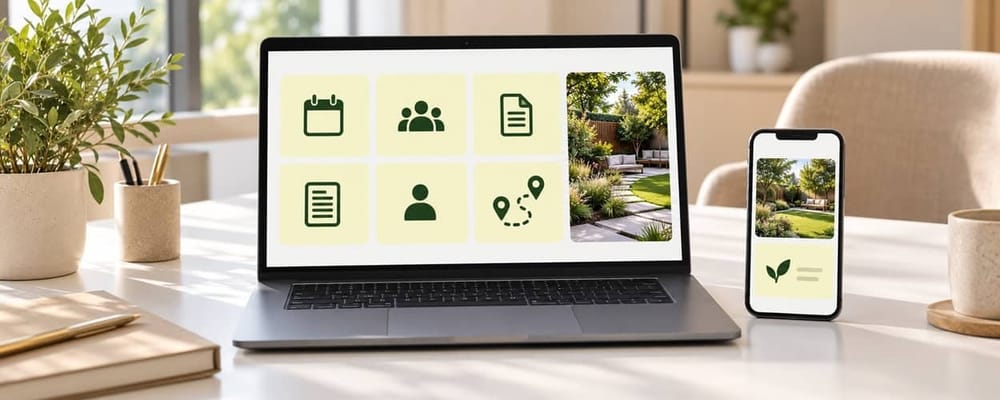
Scheduling and calendar views. The app must handle one-off and recurring jobs: weekly mowing, bi-weekly trim, monthly fertilization cycles, seasonal cleanups. It needs to support rescheduling and skip-tracking for weather delays. Job scheduling tools help assign maintenance routes and installation projects without manual re-entry each week.
Route optimization. Sequencing jobs by geography rather than the order they were booked saves fuel and adds capacity. Look for batch routing across multiple crews with a mapping interface.
GPS and time tracking. Crews clock in and out per property. Geofencing confirms they arrived at the right address. Mobile apps for crews improve communication and record-keeping on site, and mobile access to job instructions aids field crews in task completion. Mobile access keeps crews informed about job details even when the office is closed.
CRM and client history. Customer management tools store customer info and service history, including contacts, property notes, past proposals, and visit frequency. A good landscaping business app helps connect project management and customer relationships in one interface. Client portals allow customers to view service history and make payments online.
Estimates and proposals. Line-item quoting with materials, labor, and equipment. Reusable assemblies for common tasks (e.g., "Spring Cleanup Package"). Digital signature acceptance that converts an estimate into a live job automatically.
Invoicing and payments. Invoicing features streamline cash flow for landscaping businesses. Online payment processing via card or ACH, recurring billing for maintenance contracts, and the ability to create invoices the same day service is complete.
Photo and document storage. Before-and-after job photos, chemical application logs, and property-specific notes uploaded per visit for quality control and liability protection.
Integrations. QuickBooks or Xero sync for accounting. Payment processors like Stripe or Square. API or Zapier connections to marketing funnels and CRM systems for lead acquisition.
Landscape Design Apps vs Operations Apps: Which Do You Need?
The phrase "landscaping business app" covers two different product categories. Many companies need both, but buying in the wrong order wastes money.
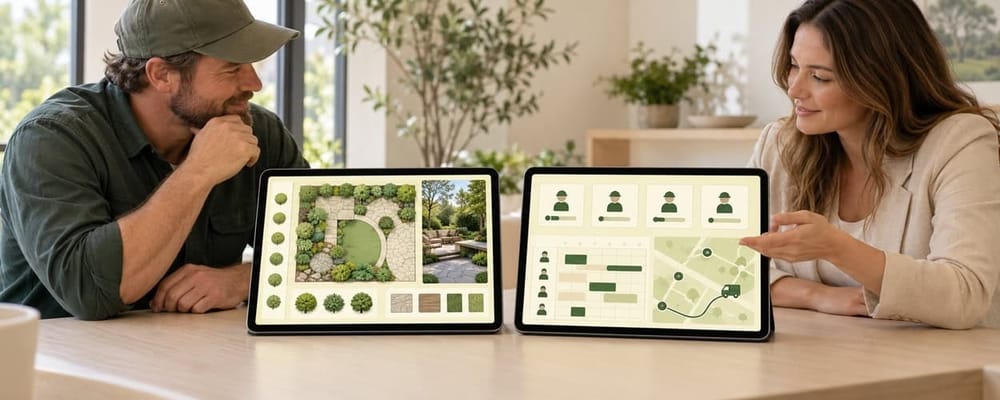
Landscape design apps provide 2D/3D modelling, AR photo overlays so homeowners preview a patio or planting bed in their own space before work begins, plant libraries filtered by climate zone, material quantity calculators, and exportable client-facing visuals. The best landscape design apps (PRO Landscape+, iScape, VizTerra, Land F/X) excel at selling projects; some now use ai tools to turn site photos into quick visual yard concepts, while operations apps still handle scheduling and crews.
Operations apps handle the day-to-day: routing, crew dispatch, maintenance visit tracking, billing, and internal communication with employees. They rarely include strong visual design tools.
Use-case examples:
- A design-build firm sends an estimator to a property with a tablet running iScape. The client approves the design on site. The estimator then creates the project in Jobber or LMN, assigns phases, orders materials, and schedules installation crews.
- A maintenance-only lawn care company with 60 weekly mowing accounts uses Service Autopilot for routing and billing. No design tool needed.
- A company doing both mow-and-go maintenance and occasional hardscape installs runs LMN for operations and uses a free option like iScape's basic tier for quick visual concepts.
Decision framework: if more than 30-40% of revenue comes from install or design work, invest in a dedicated design tool. If recurring maintenance contracts dominate your revenue, focus budget on operations first.
How Landscaping Apps Help You Save Time and Run in Real Time
Time leaks in lawn care are predictable: extra drive time from poorly sequenced routes, back-and-forth texts about schedule changes, manual quoting done in the truck after dark, and paper timesheets reconciled on Sunday night.
Route optimization in dense recurring routes reduces total drive time by 10-30% for crews with 8-12 stops per day. On a 50-property weekly mowing route, that can recover 3-5 hours per crew per week. Those hours become additional jobs or earlier clock-outs that reduce payroll cost.
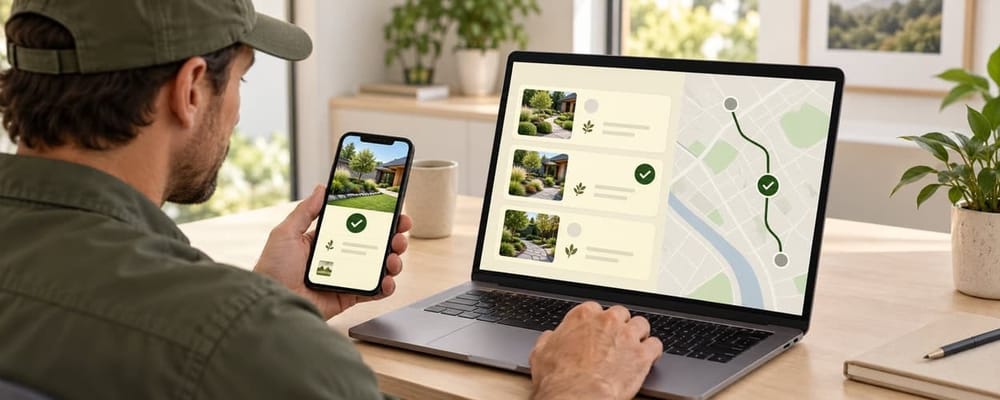
Real time workflow looks like this: the office updates a schedule at 9:05 AM; the crew's phone shows the new route by 9:06 AM; the next customer receives an automated "on the way" text without the owner touching their phone. When the crew marks a job complete, the invoice generates and sends itself. Marketing automation reduces repetitive tasks by automating processes like review requests and overdue payment reminders. Automated invoicing can save a small business several hours each week.
Automating routine tasks frees up time for more jobs. Here is a before-and-after daily comparison for an owner:
Before App
After App
Morning phone calls to assign routes
Dashboard review, routes pre-set
Mid-day texts answering "where are you?"
Customers get automated status texts
Evening typing invoices manually
Invoices auto-generated at job completion
Weekend reconciling timesheets
Timesheets approved daily via geofenced clock-ins
Review count & velocity
GBP
Automation can help businesses scale without adding chaos, because each new crew follows the same digital workflow the first crew already uses.
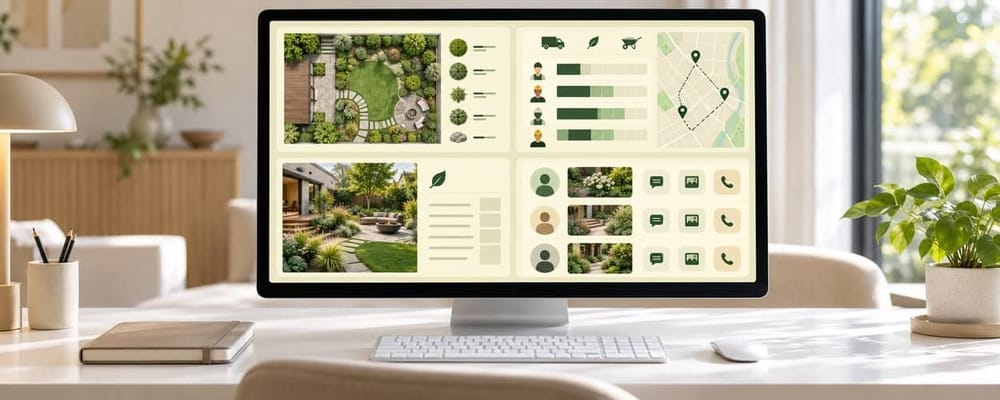
Popular Landscaping Business App Types (With Concrete Examples)
This section describes common app categories and names recognizable products for context, not as endorsements.
Field-Service / Operations Apps
App
Starting Price
Scheduling
Routing
Invoicing
Notable Feature
Jobber
~$29-$199/mo
Drag-and-drop
Yes
Quoting + invoicing tools
User friendly interface; intuitive for managing jobs
Service Autopilot
Custom
Automated
Route optimization built in
Bulk invoicing + estimate creation
Tracks client communication history in one place
LMN
~$297/mo
Smart scheduling (adjusts for weather delays)
Yes
Integrated
Connects estimates, contracts, and job planning in one workflow
Connecteam
Free plan available
Recurring job assignments
Basic
Job logging for billing
Built-in directory for team and client contact info; automated reports for tracking job hours and attendance
Yardbook
Free for life plan available
Single or recurring jobs
Limited
Estimates sent via email
Creating estimates and converting them to jobs; good for new users
Jobber is good for managing clients and handling invoicing at the small business level. Jobber allows drag-and-drop scheduling for jobs, and Jobber's scheduling interface is intuitive for managing jobs across a handful of crews. Jobber offers quoting and invoicing tools for job estimates that convert to active work orders.
Service Autopilot focuses on automating scheduling and client billing for larger operations. Service Autopilot includes route optimization for job scheduling and simplifies bulk invoicing and estimate creation. It tracks client communication history in one place, giving the office a clear view of every interaction with each customer.
LMN helps estimate jobs and track costs effectively, connecting estimates, contracts, and job planning in one workflow. LMN's smart scheduling adjusts for weather delays, which matters for lawn care companies in regions with unpredictable spring rain.
Connecteam offers a built-in directory for team and client contact info, making it useful for companies that need strong internal communication tools alongside scheduling. Connecteam's job scheduler supports recurring job assignments, and Connecteam provides accurate job logging for billing purposes. Connecteam offers automated reports for tracking job hours and attendance.
Yardbook allows creating estimates and sending invoices via email. Yardbook allows creation of single or recurring jobs. It offers a free-for-life plan with limited features, making it fine for solo operators or small crews testing software for the first time.
Job costing helps identify profitable services and detect profit leaks; most of these platforms include job costing modules. Tracking inventory is essential for maintaining profit margins in landscaping, and tools like LMN and Service Autopilot let you track materials spend per job.
Accounting Layer
QuickBooks Online and Xero remain the standard. Your landscaping app should sync invoices, payments, and expenses to your accounting software to avoid double data entry.
Best Landscape Design Apps
PRO Landscape+, iScape, and VizTerra occupy their own space as visual and design companions. They handle 2D/3D renders, AR plant placement, and material quantity estimation. They are not operations systems.
Where Funnel Builders Expert Fits
We design the marketing funnels, landing pages, lead capture forms, and automation workflows that feed qualified jobs into whichever app a client already uses. We do not compete with these tools; we complete the system around them.

How to Choose the Right Landscaping Business App for Your Company
Selection criteria shift with company size and service mix. A solo lawn care operator needs different key features than a 10-truck commercial landscape company with snow removal contracts.
Evaluation angles:
- Operational fit: Does the app handle your routing complexity, your recurring jobs structure, your service types? Does it support chemical application logs or equipment tracking if you need them?
- Financial fit: Pricing per user, per crew, or per route. Onboarding fees. Payment processing fees. LMN Starter at $297/mo serves a different budget than Yardbook's free option.
- Technical fit: Does it integrate with QuickBooks? Does the mobile app perform well offline? Rural routes and large estates drop cell signal regularly.
- Team adoption: How many screens does a crew member tap to complete a task? If the app is not user friendly, employees will revert to texting the office.
Build a prioritized feature list: must-haves (recurring schedules, route optimization, mobile crew app, estimates, invoicing) versus nice-to-haves (landscape design visuals, advanced reporting dashboards, new features like AI estimating).
Test before you commit. Most apps offer 14-day or 30-day trials. Run one crew inside the app for a full month. Track missed visits, admin hours, and payment speed against your baseline. Send feedback to the vendor on bug fixes or missing functions.
Avoid "app hopping." Once you choose a platform, commit to a 6-12 month implementation horizon. Switching tools every quarter costs more in lost data and retraining than any subscription fee.
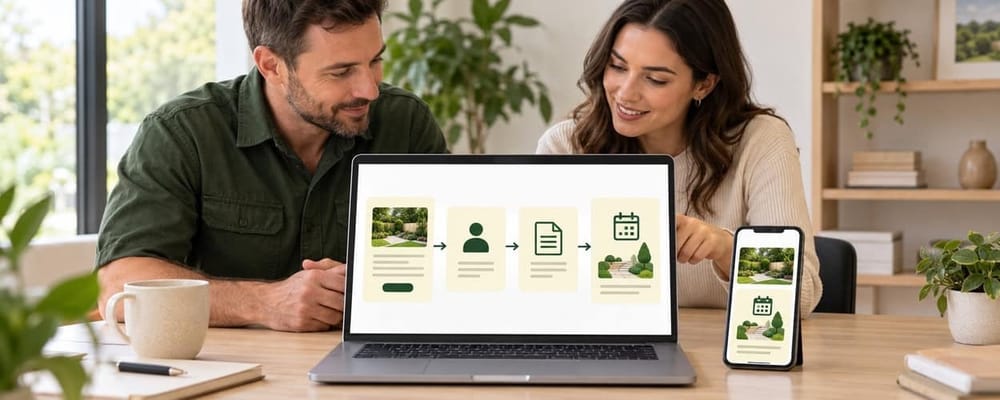
Integrating Your Landscaping App With Marketing & Sales Systems
Many lawn care owners adopt operations software but still rely on random phone calls and manual DMs for new leads. The operations tool runs fine; the pipeline feeding it runs on hope. Lawn care business software helps streamline lead generation processes only when it connects to a proper acquisition system.
A modern client acquisition system should work like this: ad click leads to a landing page, where a quote request form captures a lead. That lead enters a CRM. Automated follow-up via email and SMS nurtures the prospect. An estimate is booked, accepted digitally, and the job and customer details sync in real time into the scheduling app. Visual sales pipelines help track leads through to project completion.
Integrations with other software reduce data entry and improve workflow efficiency. When a quote accepted in your funnel triggers a job in Jobber or LMN, nobody re-types a phone number, address, or service date.
Funnel Builders Expert connects these pieces: high-converting funnels, automated email/SMS sequences, pipeline management, and integrations into whatever field-service or CRM tool you already use. We handle SEO for lead generation targeting searches like "landscaping company near me" and build Meta Ads campaigns for seasonal upsells.
Four automations every landscaping business should implement:
- Missed-call text-back: If the office phone rings and nobody answers, the caller receives an automatic text within 60 seconds.
- Abandoned quote follow-up: If an estimate is not accepted within 48-72 hours, a sequence of 2-3 messages follows up automatically.
- Seasonal upsell campaigns: After fall cleanup is marked complete, clients receive a winter prep or spring aeration offer.
- Review request on job completion: When a job status changes to "complete" in the app, the client gets a text asking for a Google review.

Implementation: Rolling Out a Landscaping Business App Without Chaos
A 5-crew landscape maintenance company can roll out new software over 60-90 days without disrupting peak season if the process is phased.
Phase 1 (Weeks 1-2): Admin and owner training. Learn the interface. Set up service names ("Weekly Mow + Trim," "Monthly Fertilization"), default pricing structures, and visit frequencies. Clean old customer lists; export to CSV, remove duplicates, standardize data before import.
Phase 2 (Weeks 3-6): Pilot with one crew. Run a single crew on the app while others continue with current methods. Track performance improvements against the baseline. Adjust settings based on what the pilot crew reports.
Phase 3 (Weeks 7-10): Roll out to all crews. On-site demos. Printed cheat sheets with screenshots for common tasks. Identify 1-2 tech-comfortable crew leads as champions who support others. Access to the app should feel like an upgrade, not a burden.
Phase 4 (Weeks 11-12+): Add automations and integrations. Connect to QuickBooks. Activate automated invoicing. Layer on marketing automation workflows for lead follow-up and review requests.
Communicate changes to customers: email or text clients about new on-the-way notifications, online portal access, and digital payment options. Frame it as added professionalism, not confusion.
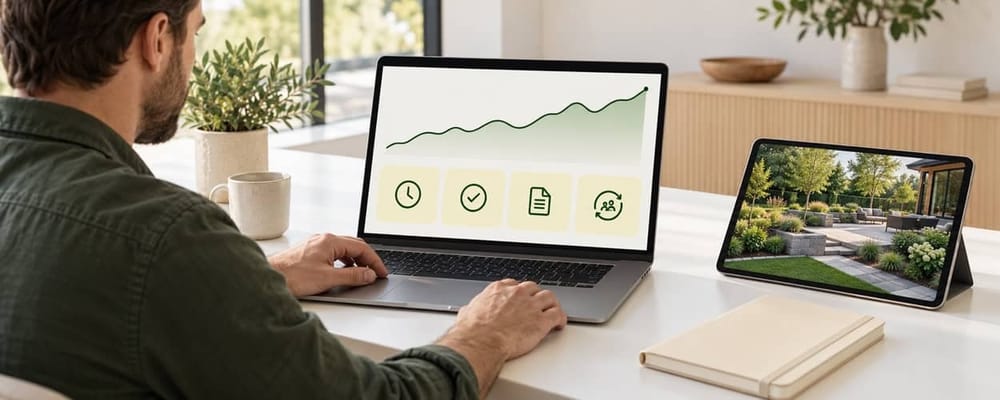
Tracking ROI: Measuring the Impact of Your Landscaping App
Without measurement, you will not know whether your $50/month or $300/month subscription is paying for itself.
Operational KPIs:
- Average drive time between jobs
- Jobs completed per crew per day
- On-time arrival percentage
- Schedule errors per month
Financial KPIs:
- Average days from invoice to payment
- Quote-to-close rate on estimates
- Revenue per route day
- Profit per crew per week
Dashboards for reporting and analytics track key performance indicators like profitability, and most apps include built-in reporting. Job costing within the app helps identify which services generate margin and which ones lose money.
Marketing and sales data should be joined to operations data: cost per lead from Google Ads or Meta Ads, cost per booked job, and lifetime value of a recurring lawn care client acquired through funnels. This is where tools built by Funnel Builders Expert connect to your operations platform.
Review dashboards at consistent intervals: weekly for operations, monthly for financials, quarterly for marketing. Make incremental changes based on data, not gut feeling.
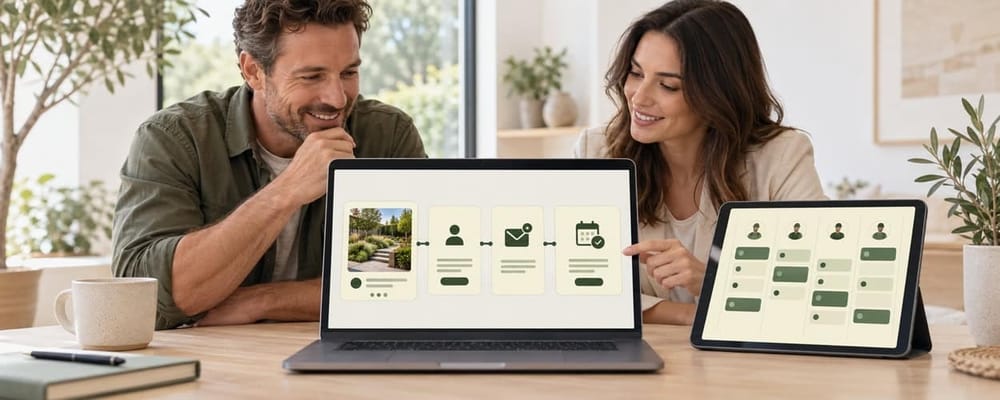
How Funnel Builders Expert Helps Landscaping & Lawn Care Businesses Scale
Funnel Builders Expert is a B2B marketing and automation partner for service businesses, including lawn care and landscaping companies across the US, Canada, UK, Australia, and New Zealand.
We do not replace Service Autopilot, Jobber, or the best landscape design apps. We build the lead generation and client acquisition systems around whatever tech stack a business already uses.
Services relevant to landscapers:
- Local SEO targeting "lawn care + [city]" and "landscaping + [city]" search terms
- Google Ads for high-intent queries like "landscaping company near me"
- Meta Ads for seasonal branding and upsell campaigns
- Conversion-focused websites designed to turn visitors into estimate requests
- CRM pipelines with done-for-you email/SMS sequences linked to estimate status
- Integrations that push won jobs into your landscaping business app
A typical engagement: discovery call to map current lead flow and tools, audit of existing funnels, roadmap creation, build and integration phase, then continuous optimization as the lawn care business scales. Similar to how we help other trade businesses, every system is built around your specific service area and software stack.
FAQ About Landscaping Business Apps
Do I need a separate app for landscape design and for crew management?
Many design-build companies use one tool for visual design (2D/3D plans, AR previews) and a separate tool for operations (scheduling, routing, billing). Some platforms claim to offer all the features, but they tend to excel in one area. Serious designers prefer specialized landscape design apps plus a dedicated field-service app. Smaller lawn care businesses focused on mowing and maintenance can delay investing in design tools until they add higher-ticket install work.
Can a landscaping business app work offline if my crews lose signal?
Many modern apps cache schedules and job details on the device, allowing crews to see jobs, log hours, and upload job photos even with limited coverage. Data syncs back once the phone regains a connection, updating job status and timesheets at that point. Verify offline capabilities during your trial period; this is especially important for rural routes and large estates where coverage drops.
How do I handle data migration if I'm moving from spreadsheets to an app?
Export customer lists and job histories to CSV. Clean duplicates and outdated records before import. Most landscaping business apps offer import templates and onboarding support to map fields like name, address, services, pricing, and visit frequencies. Funnel Builders Expert can help align CRM, funnel, and app data structures during migration to avoid future inconsistencies between your marketing system and your operations tool.
Will a landscaping business app replace my accountant or bookkeeper?
No. Apps handle real time job billing, payment processing, and basic reporting, but they do not replace professional accounting or tax advice. The expected setup: the app manages day-to-day invoicing and payments while QuickBooks or Xero and an accountant manage compliance, payroll, and year-end financials. Integrating the app with accounting software gives your bookkeeper accurate, up-to-date data without manual re-entry.
Can Funnel Builders Expert recommend which specific app I should choose?
Funnel Builders Expert is vendor-agnostic. During an initial strategy call, we review the business model, crew size, existing tools, and budget, then suggest a shortlist of platforms that match the company's needs. Our value lies in connecting the chosen app to a complete client acquisition funnel so that lead flow, follow-up, and job creation work together as one system. Book a discovery call to get started.

Website.
Ecommerce Website
Blog Website
Website Design
Web Management
WordPress Website
SEO - AIO
AI Optimization
Local SEO
On-Off Page
SEO Audits
Technical SEO
Paid Advertising
Display Ads
Meta Ads
Google Ads
Linkedin Ads
TikTok Ads
CRM Automation
CRM Setup
Email Marketing
Lead Management
Pipeline Automation
SMS Marketing
Disclaimer: This site is not affiliated with or endorsed by Google or Meta™. All content is for educational purposes only and does not guarantee results or earnings. Your success depends on your own efforts, experience, and circumstances. Financial examples are illustrative, not promises. Always seek professional advice before making business or financial decisions. By using this site, you agree we are not liable for outcomes based on this information.
2026 © Funnels Builders Expert, a Sydney Website Design Agency product - Privacy Policy - Terms & Conditions